Placing a Component on the Canvas
-
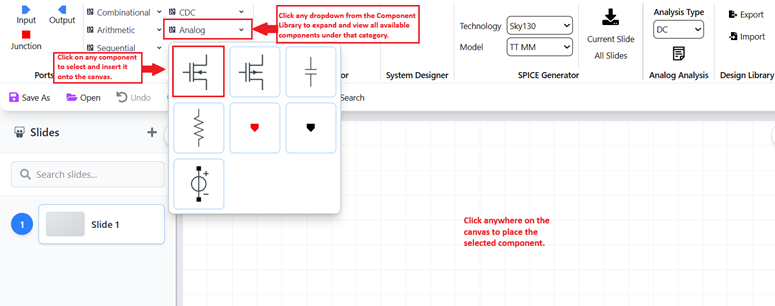
Open the Component Library from the ribbon toolbar.
-
Browse the category tabs and click the component icon you want to insert.
-
Click anywhere on the canvas to place the component at that location.
-
Continue clicking to place additional instances of the same component. Each new component gets an automatically incremented label (e.g., and_0, and_1, and_2).
-
Press Escape or click a different tool to exit insert mode.
Tip: You can place multiple instances of the same component one after another without re-selecting it from the library. Just keep clicking on the canvas.